Your secrets never leave your phone.
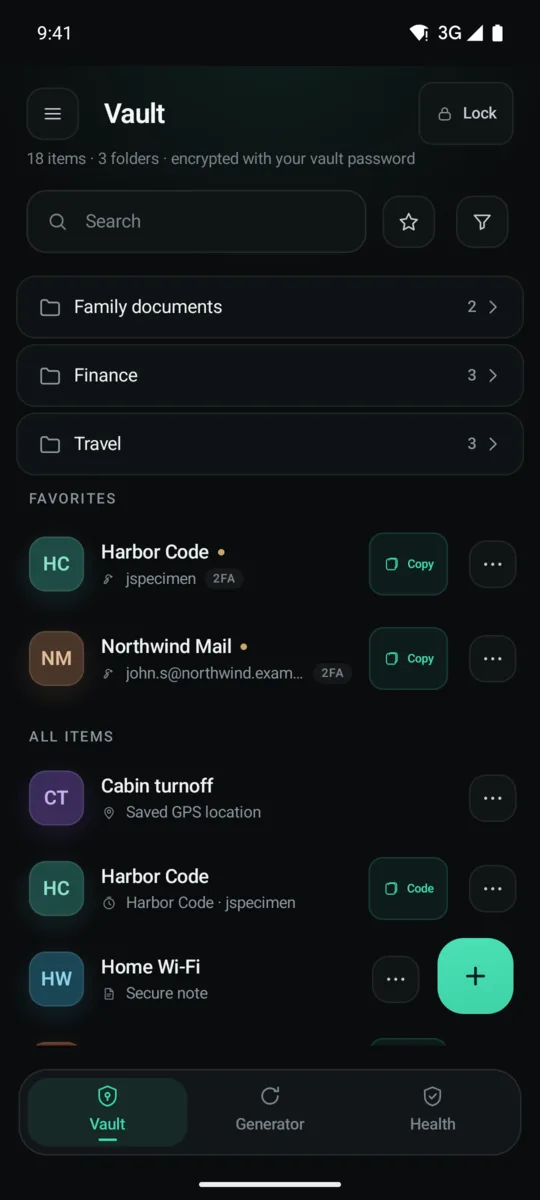
One encrypted file on your phone. No account, no cloud, no sync.
Your vault never touches the network, by construction. Check the source.
Nine kinds of secret.
Logins
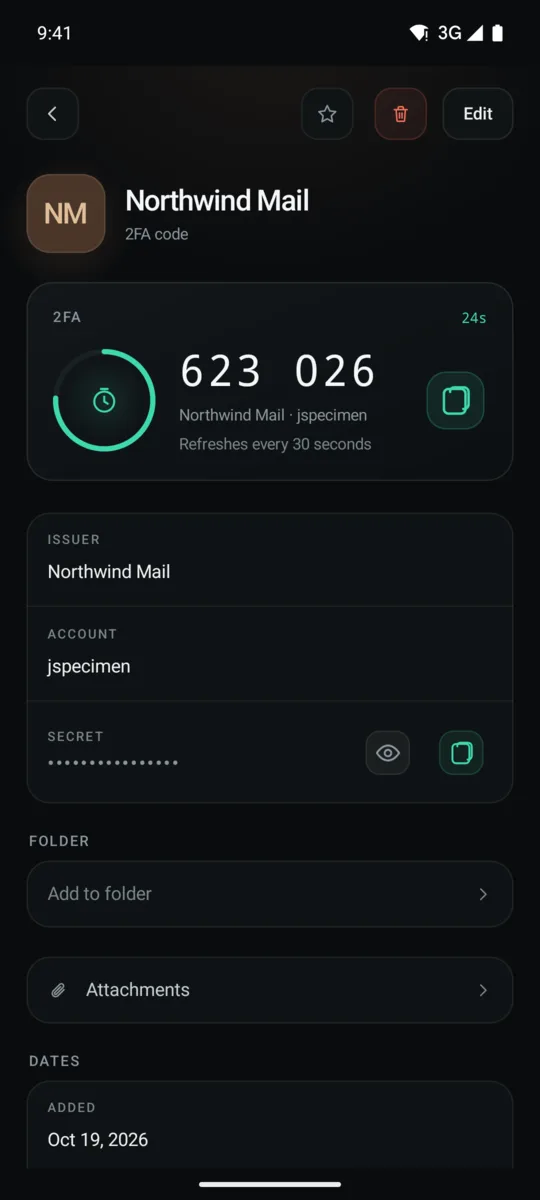
Passwords, sites, custom fields, and a built-in 2FA code per login.
2FA codes
A full authenticator. QR setup by camera, Steam supported, works offline.
Secure notes
Free-form encrypted text.
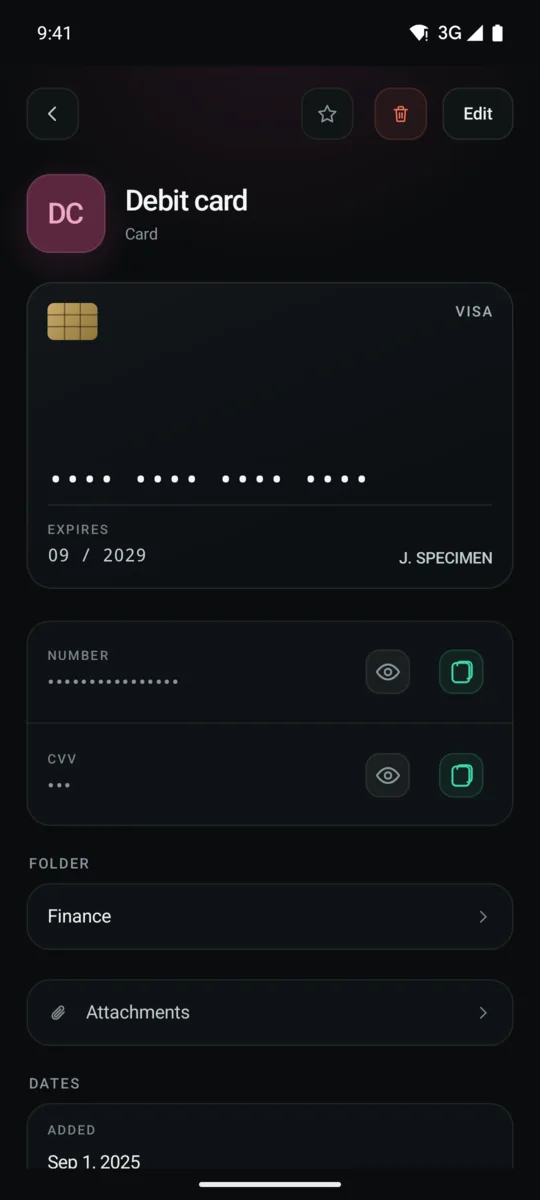
Cards
Number, expiry, CVV and PIN. The last two ask for your fingerprint.
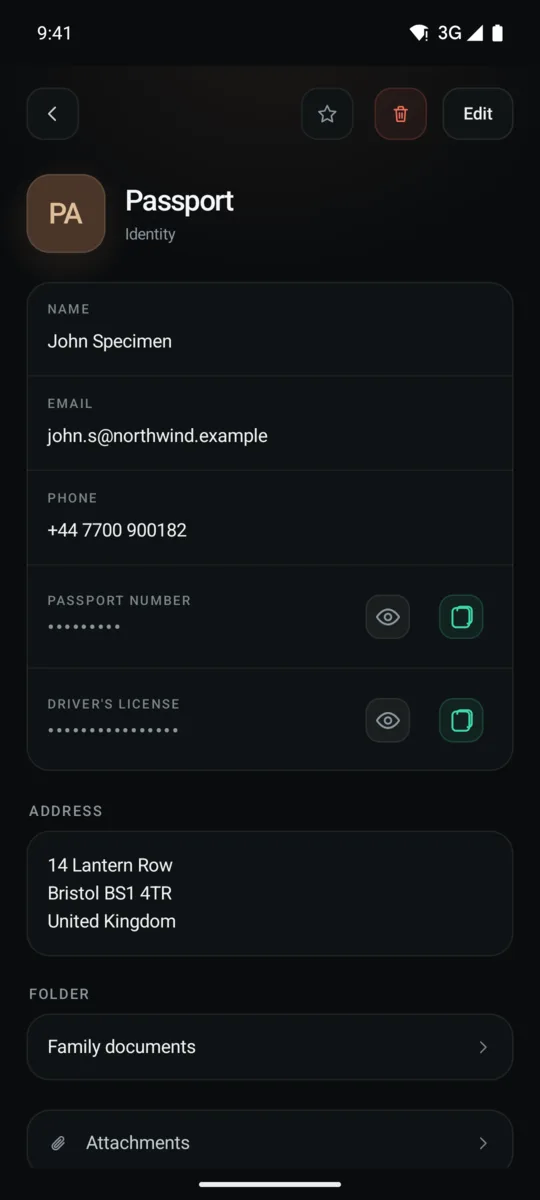
Identities
Passport, licence, national ID, address. Type it in or photograph the document.
Files & media
Documents, photos and video, encrypted. Video plays inside the app, never in the gallery.
Passkeys
WebAuthn credentials, created and used on this device.
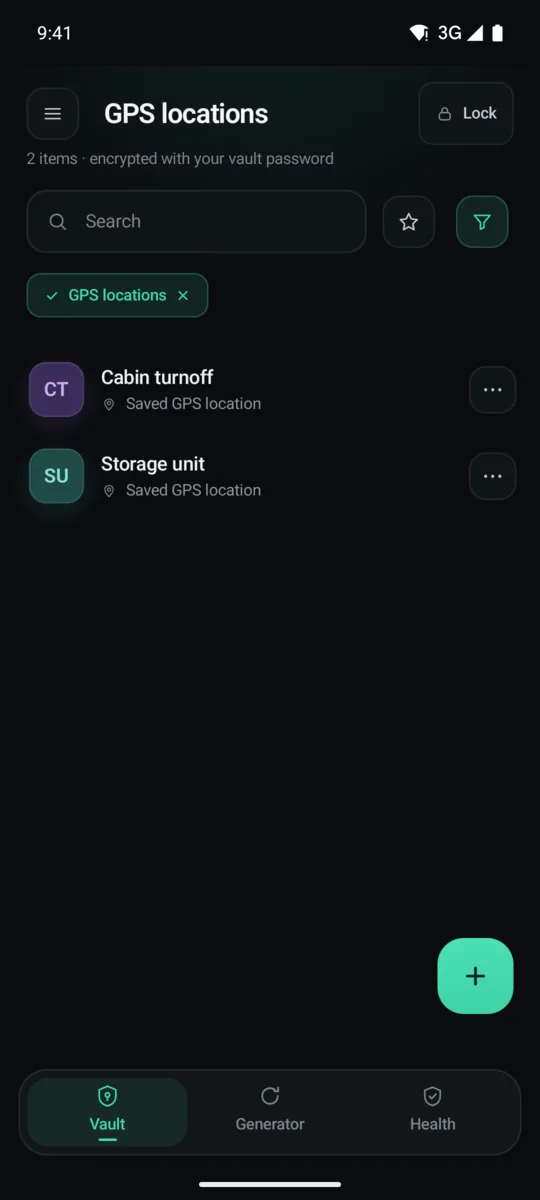
GPS locations
One reading, taken when you tap. The app does not follow you afterwards.
Recovery phrases
BIP-39 words in numbered order, checksum-checked as you type. Optional 25th word.
folders · tags · favourites · drag to move, one tap to undo · trash restores whole folders
Everyday use, fully offline.
Autofill
Fills apps and browsers, saves new logins, updates changed ones. A password saved in Chrome fills in Firefox.
Capture to vault
Photograph documents straight into the vault. Nothing touches your gallery; camera and location data are stripped.
Generator
Passwords and passphrases, with a strength meter.
Search
Titles, usernames, sites, notes and folders. Typing your secret phrase here reveals invisible entries.
Import
Google, Apple, Bitwarden, 1Password, KeePass, Aegis and CSV, each with step-by-step instructions. Imports merge and are never capped.
Health scan
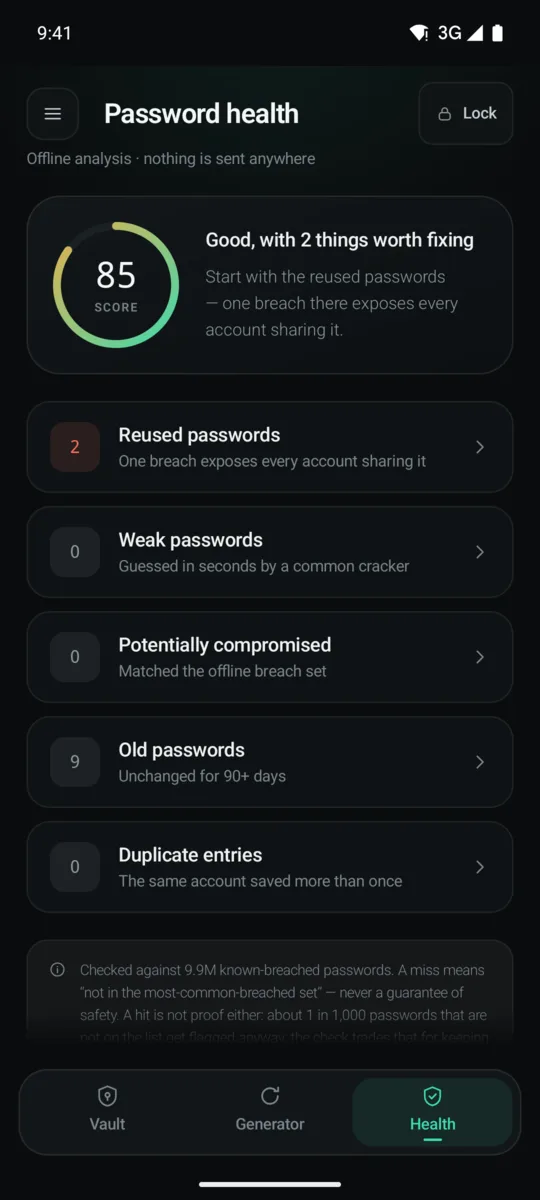
Finds reused, weak, old, duplicate and breached passwords. The breach list ships inside the app.
gentle haptics · big touch targets · reduced-motion aware · screen-reader friendly · EN FR DE ES PT
A look inside.
How the vault is sealed.
vault.enc — one file, on your phone. Every algorithm is verified against its official test vectors.
Invisible items
Any entry can vanish from every screen, including search, autofill and the health score. Type your reveal phrase into search to bring it back for one session.
Breach checks that ask nobody
The list of known-breached passwords ships inside the app. Checks run on your phone and are never sent anywhere.
A duress vault
A second password opens a convincing decoy vault. Nothing in the file shows the real one exists.
Guarded on screen
Screenshots are blocked. Sensitive fields ask for your fingerprint before they show or copy. The clipboard clears itself.
Locks everywhere
Auto-lock on idle and in background. Panic lock on a long press. Biometric unlock.
A way back, without a vendor
Automatic local snapshots, encrypted export, and a 24-word Recovery Kit shown once at setup.
Check our work, row by row.
The only column that is fully offline — with passkeys, 2FA, breach checks, a duress vault and invisible entries.
| FEATURE |  LOCALKEEP LOCALKEEP |
Bitwarden | 1Password | Proton Pass | KeePassDX | |
|---|---|---|---|---|---|---|
| Everything lives on your device | server-backed | server-backed | server-backed | server-backed | ||
| No internet permission | billing only | |||||
| Works fully offline | read-only | after login | no offline mode | |||
| Breach checking with zero network requests | queries a service | queries a service | queries a service | queries a service | none offered | |
| Duress vault — a second password opens a decoy | ||||||
| Invisible entries, revealed by a secret phrase | ||||||
| GPS locations stored as vault entries | ||||||
| Re-authentication to copy a secret, not just view it | partial | partial | not published | not published | not published | |
| Password health scan | cloud only | |||||
| Open source | ||||||
| Passkey support | Android 14+ | |||||
| Key derivation and cipher | Argon2id → AES-256-GCM-SIV | PBKDF2 default | PBKDF2-SHA256 | bcrypt + SRP | not published | Argon2 / AES-KDF |
Never.
No vendor can reset your master password. Lose it and the Recovery Kit, and the vault is gone — the app says exactly that at setup.
One thing does leave the phone, if you let it: Android's own backup can copy the encrypted vault file to your Google account, the way it does for any app. We never see it, and it is useless without your master password or Recovery Kit — but it is still a copy somewhere else, so the app puts the switch in Backup & export and tells you which way it is set.
- ✕No sync server — nothing to breach centrally
- ✕No account, no email, no telemetry, no crash reporting
- ✕No vendor password reset — there is no vendor-side anything
- ✕No browser extension, desktop app or web vault
- ✕No light theme — dark only, by decision
Get LocalKeep.
Unlimited passwords, autofill and the generator. No account, no sign-up.
android · gpl-3.0-only